AI clash intelligence for AEC.
Learns from every BIM manager's decision, turning coordination chaos into a prioritised work queue.
- Revit plugin
- No additional coordination software licenses required
Everything you need for clash coordination
Purpose-built AI tools that replace manual clash review workflows
AI Clash Ranking & Trade Assignment
Auto-ranks clashes by severity and assigns responsible trades based on element type and project rules.
Smart Clustering
Groups clashes that share a source, so your team stops solving the same issue ten times.
AI Assistant
On-demand assistant that answers clash questions, suggests resolutions, and surfaces context from your federated model.
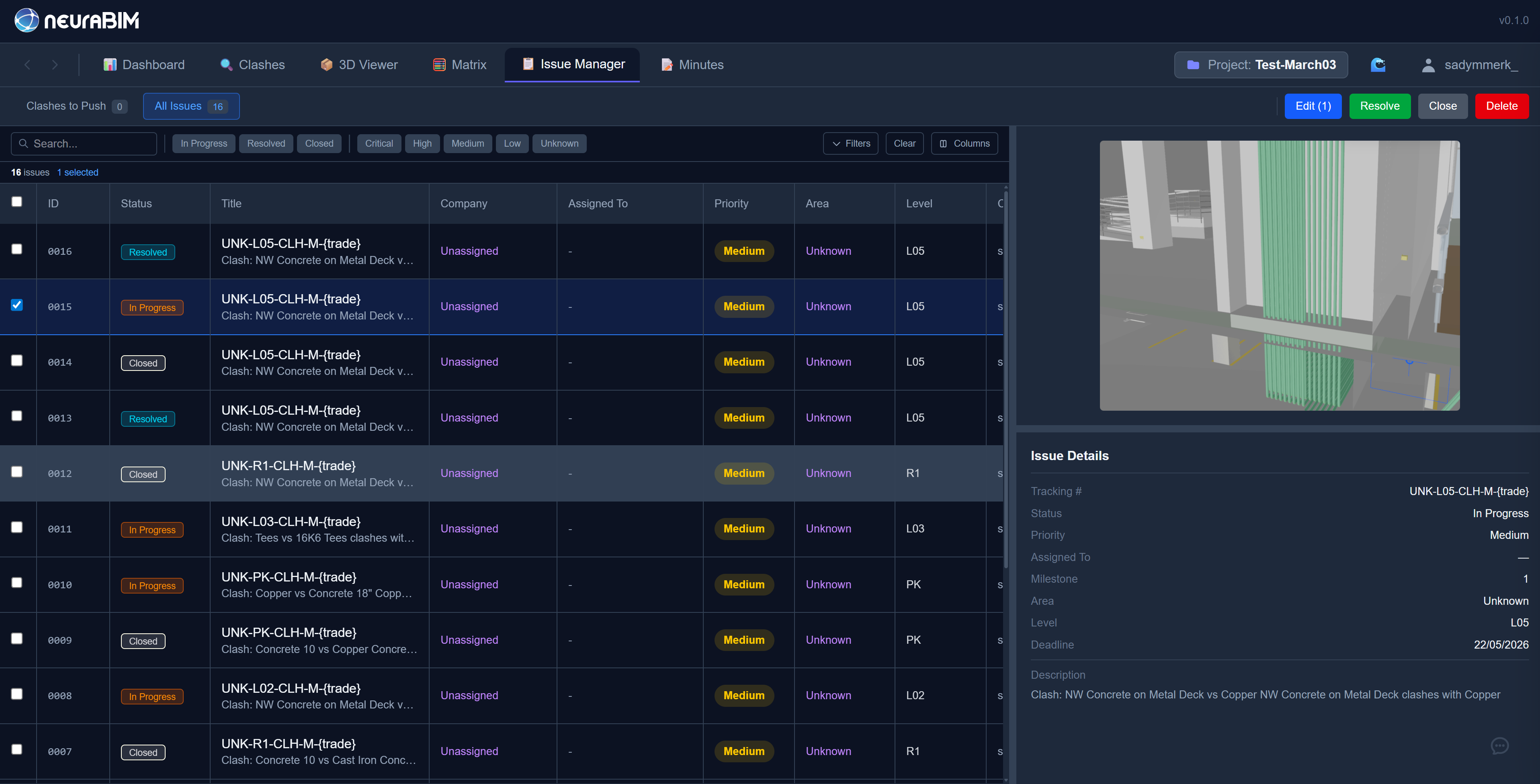
Issue Tracking
Push clashes to a Kanban board with status tracking, assignments, milestones, and deadlines. Manage resolution workflows from detection to close-out.
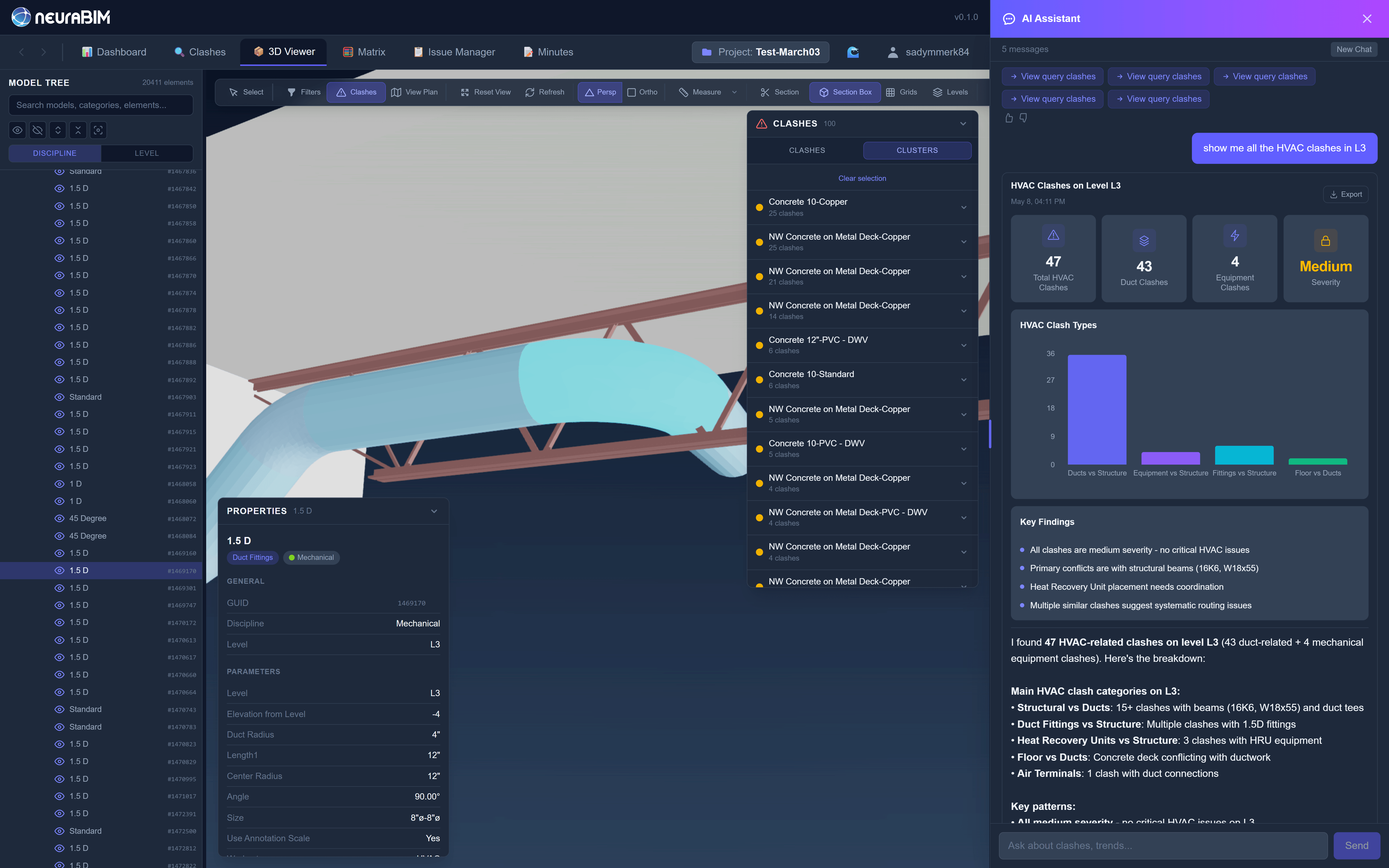
Real-Time 3D Viewer
Navigate clashes in a browser-based 3D viewer with bounding box visualisation. Fly-to-clash takes you straight to spatial context without leaving the browser.
Hard Clash Detection
Detect geometric and clearance clashes across federated models, no Navisworks Manage licence required.
From Revit plugin to prioritised work queue
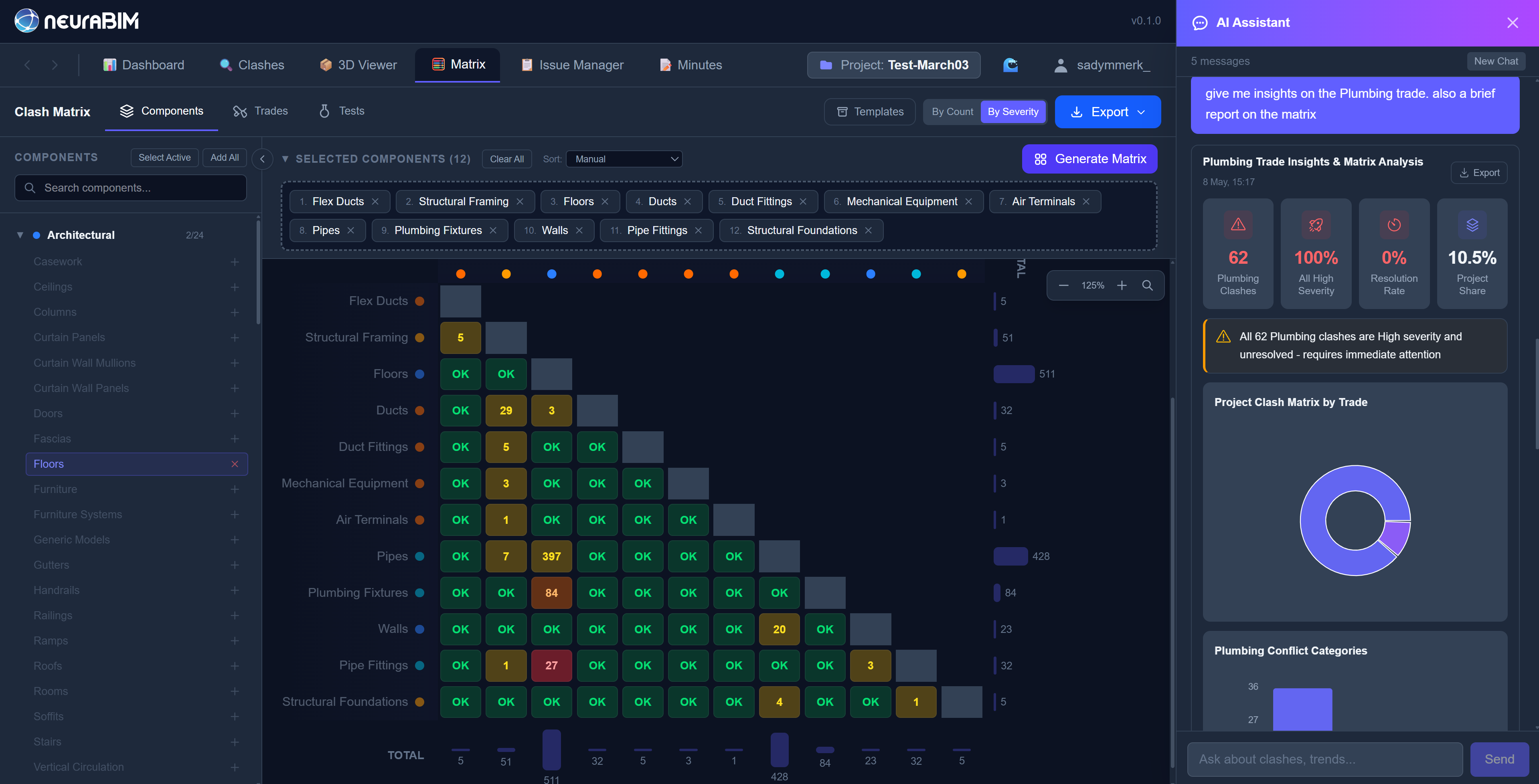
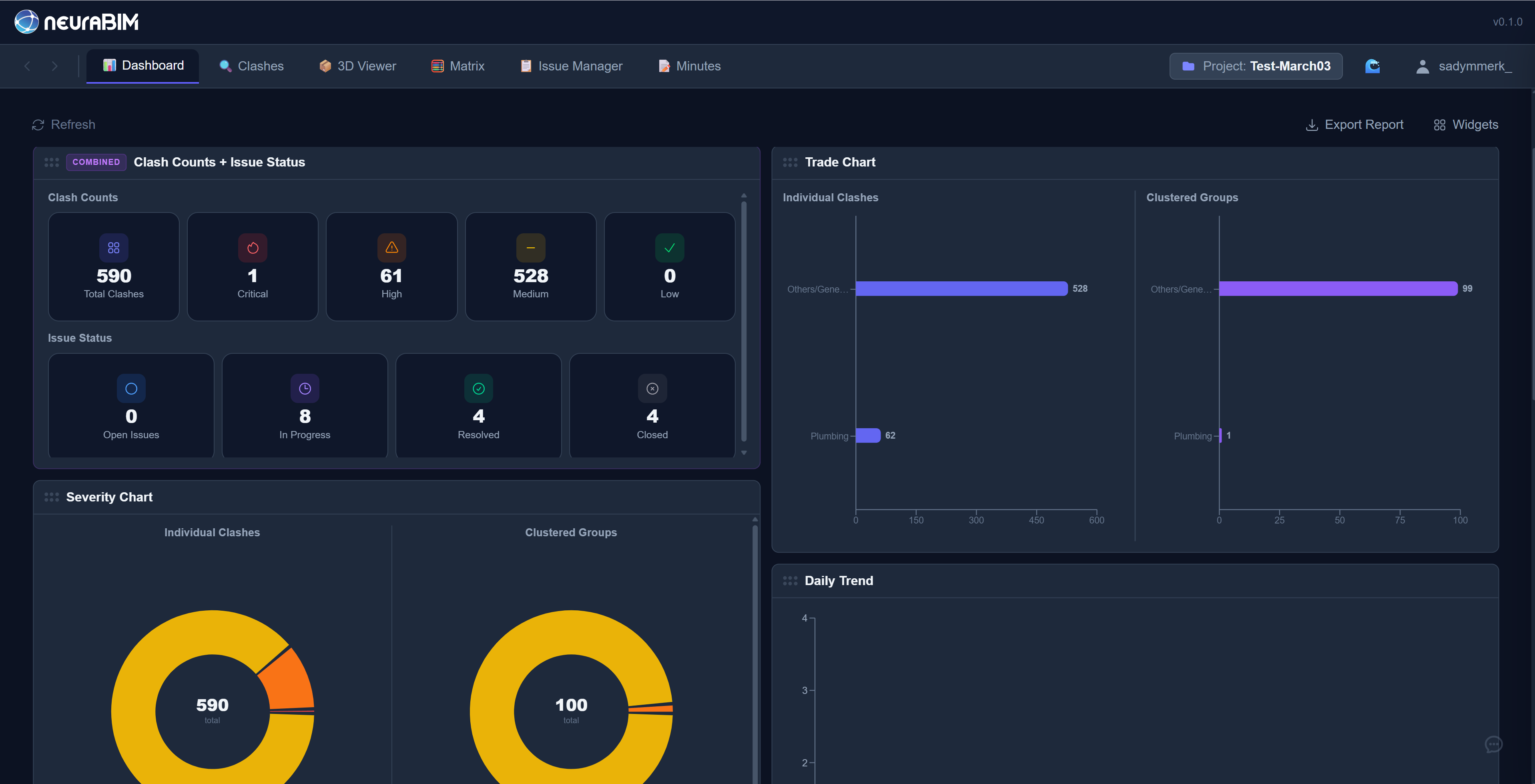
Federate the model in Revit, and NeuraBIM does the rest. Geometry and metadata flow into the AI layer; severity, clusters, and responsibility come out the other side, surfaced in a 3D viewer, a clash matrix, an issues board, and auditable AI-generated reports.
3D Viewer
Clash Matrix
Dashboard
Issue Manager
How it works
From federated model to resolved clashes in three steps
Open in Revit
Our plugin extracts geometry and metadata directly. Pick the models, push to NeuraBIM. No Navisworks licence required.
AI Analyzes Clashes
Our AI engine ranks clashes by severity, groups related issues, and assigns responsible trades automatically.
Review & Resolve
Review clashes in 3D context, push to the Issue Manager, track resolution status across your team.
Early Access Pricing
We're onboarding select BIM teams during our early access phase. Get in touch to discuss pricing tailored to your team size and workflow.
Request Early Access →Frequently asked questions
Everything you need to know about NeuraBIM
We ship a Revit plugin for geometry extraction. Models are federated server-side; no Navisworks licence is required to run downstream coordination.
Our pipeline blends two models. A LightGBM severity model analyses each clash by element size, trade impact, BIM hierarchy, and spatial relationships, and assigns Critical, High, Medium, or Low ratings. A large language model (LLM) layer reads the federated metadata, proposes the responsible discipline, generates plain-English summaries, and powers the in-app AI assistant for resolution suggestions. Every coordinator decision feeds back into training, so both layers get sharper on the geometries and conventions of your projects over time.
NeuraBIM integrates directly with Revit through our plugin, no Navisworks Manage licence required. Clash detection, issue management, meeting minutes, 3D viewer and risk management, all in one platform.
Your data is hosted on Supabase (PostgreSQL) and AWS S3 (eu-west-2), with encryption in transit and at rest provided by default. Authentication uses Supabase Auth, with API keys stored as bcrypt hashes. Our multi-tenant architecture logically separates data by organisation and project, with role-based permissions (Owner, Admin, Member, Viewer) enforced on every request. Enterprise customers requiring dedicated infrastructure or on-premises deployment can contact us to discuss options.
We provide hands-on onboarding: account setup, plugin installation and a walkthrough of the platform. Most teams can run their first AI-processed clash report within a single session. We're currently in early access, so onboarding is personalised and direct with the founding team.
Ready to transform your clash coordination?
Book a 15-minute demo and see your first AI-ranked clash report
Or email us directly: info@neurabim.com
Demo Request Received!
Thank you for your interest in NeuraBIM. Our team will review your request and get back to you within 24 hours to schedule your personalised demo.
Here's what to expect:
- A 15-minute live walkthrough of the platform
- AI clash ranking on your own model (if provided)
- Custom ROI analysis for your team
We're building the future of clash coordination, and we're excited to show you how NeuraBIM can transform your workflow.
Back to Homepage ↑